But it’s built around users. Usernames.Passwords.Manual connections.Users remembering to click “connect.” And that’s where things break in the real world — because VPN reliability ends up depending on end-user behavior. The Core Difference OpenVPN Access Server is typically user-based.TrueStack is
The TrueStack Server 2.0 is here
TrueStack is glad to announce that the TrueStack Server 2.0 in now available and we’ve added the new features that you’ve been asking for. See our Support page for Documentationhttps://truestack.com/support
Why use an RMM if you already have Active Directory?
Manage Your Domain-Joined Computers from Anywhere
With a Cloud-Based Domain Controller + TrueStack VPN running a Windows domain controller from a closet server isn’t sustainable. TrueStack Server gives you a smarter option: move your domain controller to the cloud and securely connect remote computers to it
A VPN Architecture That Lets Active Directory Reach Remote Computers
Traditional VPNs make user access easy but computer management hard.TrueStack Server gives Active Directory reliable, server-initiated access to domain-joined remote machines. The problem TrueStack solves Most VPN platforms are designed around users, not computers. They work well for: But Active
Active Directory Requirements for Managing Computers and Users Outside the LAN
Why Traditional VPNs Fail — and How TrueStack Solves the Problem Managing Windows computers and users outside the local network has always been one of the hardest problems in enterprise IT. Once users leave the LAN, Active Directory stops behaving
Partner with TrueStack
The TrueStack Partner Program is designed for MSPs who want to offer a cloud-friendly, self-hosted VPN solution that integrates seamlessly with Windows Active Directory. Partners gain access to their own full TrueStack environment plus discounted versions for their clients. Partner
How to add computers and connect them to the TrueStack VPN.
TrueStack is a device-based VPN, which means we secure and trust computers directly — not users, usernames, or passwords. Everything begins in the Computers tab. Quick note before we start:This walkthrough assumes your Network Routes are already created in the
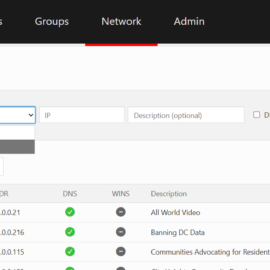
How the Network tab works
Overview In TrueStack, network access is explicitly defined. Rather than allowing unrestricted access, you control exactly which servers or networks a computer can reach through the VPN, and optionally whether all internet traffic is routed through the tunnel. This guide
Launching the TrueStack Server on AWS
This video gives a step-by-step guide for launching the TrueStack VPN server on AWS. You can find the TrueStack Server in the AWS Marketplace. Launch Considerations Next Steps Refer to Using TrueStack for detailed configuration and management guidance. Configuring AWS
Launching the TrueStack Server on Azure
Launch Considerations Region and Resource Group Instance Size Authentication Type Networking Network Security Group Next Step: see Using TrueStack Configuring Azure Networking for Use with Windows Domain Controllers If you are using the TrueStack Server to enable Windows Domain Controller
Initial Setup
Step 1: Access the interface Step 2: Authenticate Step 3: Accept EULA Step 4: Registration Step 5: Configure Hostname Step 6: Get and install HTTPS TLS Certificate Step 7: Create your Admin user Step 8: Choose Timezone and add Subnet