
Step 1: Access the interface Step 2: Authenticate Step 3: Accept EULA Step 4: Registration Step 5: Configure Hostname Step 6: Get and install HTTPS TLS Certificate Step 7: Create your Admin user Step 8: Choose Timezone and add Subnet
Everyone knows OpenVPN Access Server. It’s a solid VPN and widely used.

But it’s built around users. Usernames.Passwords.Manual connections.Users remembering to click “connect.” And that’s where things break in the real world — because VPN reliability ends up depending on end-user behavior. The Core Difference OpenVPN Access Server is typically user-based.TrueStack is
TrueStack 2.0.28 Adds Backup & Restore
We’re excited to announce that TrueStack Server version 2.0.28 introduces a powerful new Backup & Restore feature to give you more resilience and peace of mind. Automatic Daily Backups TrueStack now creates scheduled daily backups of your server configuration automatically.
TrueStack Now Available in All Azure Regions
We’re excited to share that the TrueStack Server is now available in every Azure public region worldwide. Whether your organization is based in North America, Europe, Asia, or beyond, you can now deploy TrueStack closer to your users for faster,
The TrueStack Server 2.0 is here
TrueStack is glad to announce that the TrueStack Server 2.0 in now available and we’ve added the new features that you’ve been asking for. See our Support page for Documentationhttps://truestack.com/support
Active Directory is not made for the cloud?
Over the last few years we’ve heard that Active Directory is still sticking around as evidenced by Windows server 2022 but it’s mainly for companies who still need to maintain on premise applications and an on premise workforce. They say
Non Profits: What can you do with the $2000 Amazon Web Services Credit?
Use it to move to the cloud: That old server in the closet keeps causing problems but your I.T. says it has to be replaced. A better option is to move it to the cloud and use your $2000 a
Free VPN to AWS
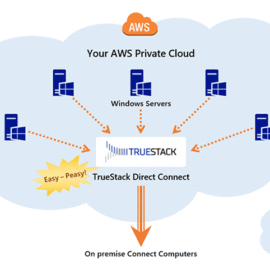
Need an easy to use VPN to connect your local computers to your AWS Servers? TrueStack Direct Connect is free for 10 Connections. TrueStack Direct Connect is a fast, private VPN server in your AWS account Easily and securely add
Closet Server – Soon to be a thing of the past
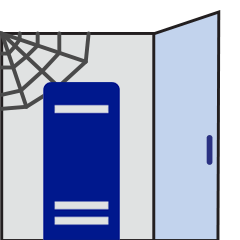
Do you have a closet in your office that looks something like this? Many businesses, especially small and mid-sized businesses, still have tower servers sitting in server closets or in messy IT rooms. If you’ve outsourced your IT then you
Frustrated IT ready for Windows Active Directory in the Cloud!
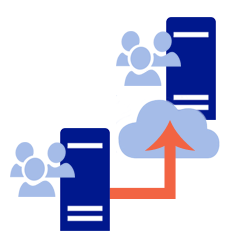
Why can’t we just move these Windows servers to the cloud? For the last five years I’ve been looking for a way to move my customers Windows Active Directory domain controllers to the cloud. These are server that sit in